This process will be help full for managing committee and KPI module.
This article will be helpful for management and quality managers to manage committees and KPI’s.
How to setup committees in mastersetup?
- Click on “Manage committees” in “modules”
- Select the type of “Committees” from list of committees
- Click on “Create committee”
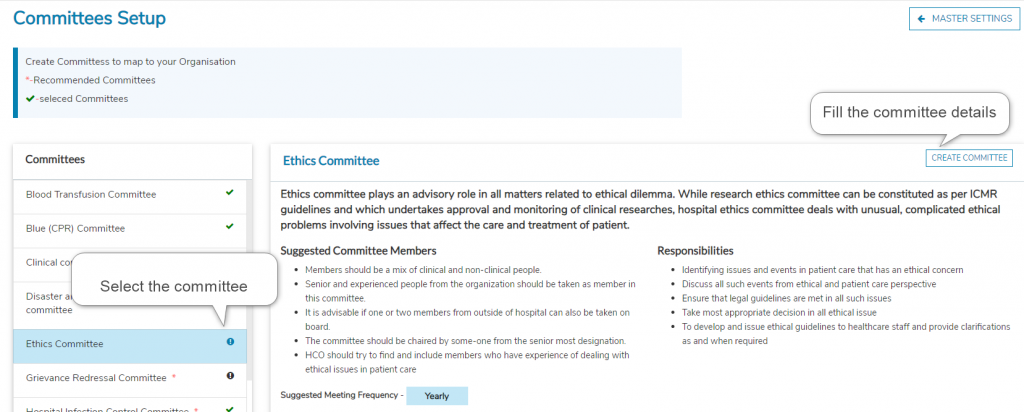
The selected committee will be added to the committee module which can be further modified in the committee’s module for regular operations.
How to setup committees in mastersetup?
- Select the “Manage KPI” from Modules in Master setup
- Select type of “KPI” from the available list
- Click on edit to map the department or write the acceptable values
- Click on “Finish setup”.
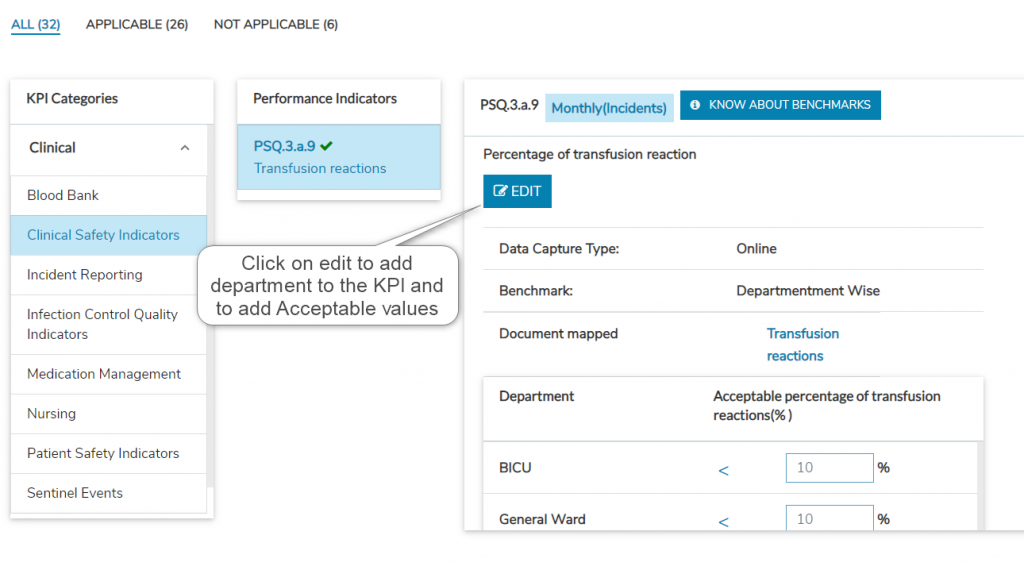
The selected KPI’s modified will be available in the departments KPI’s lists as defined.