If you are new to QMS365, here is a step-by-step plan for getting started. If you need help along the way, plenty of options for assistance are listed in this article. Welcome to the QMS365!
QMS365 is built on criterias defined by NABH. Every objective in NABH has to be complied in respect to defined criteria i.e availability of license, conducting an audit, Maintaining committees, restructuring processess etc.. all these criterias can be defined only by identifying the structure and process of the hospital environment.
This initial setup is a process that help QMS365 to identify and restructure the application as per the NABH criteria.
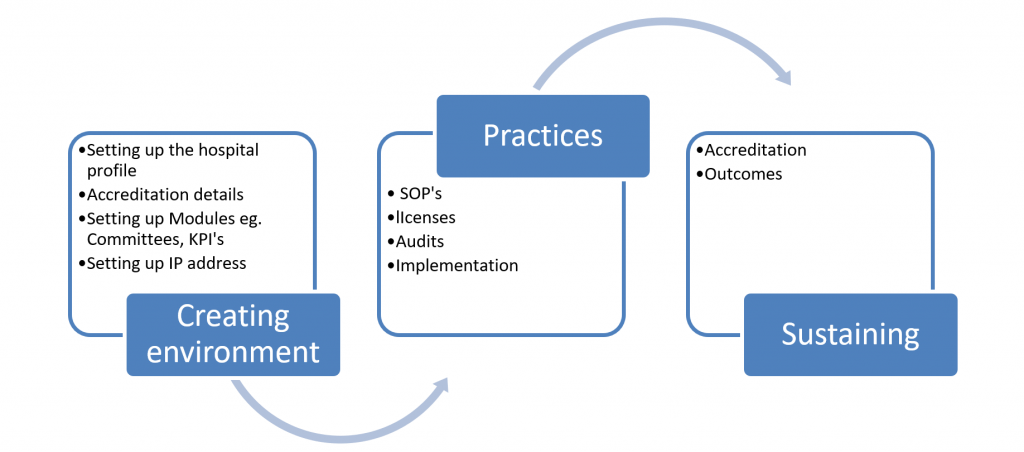
This process includes 3 steps
Steps involved in setup
- Creating environment
This includes feeding all the demographic details of the hospital e.g Name, infrastructure, accreditation type, etc.
- Practices
This includes setting up standby modules as per the hospital documents and requirements e.g Upload save and share SOP’s, e.g add upload and save licenses, sharing the forms with the departments, auditing the accreditation level etc.
- Sustaining
This step involve evaluating the Internal audit reports and taking the appropriate steps to complete the accreditation.