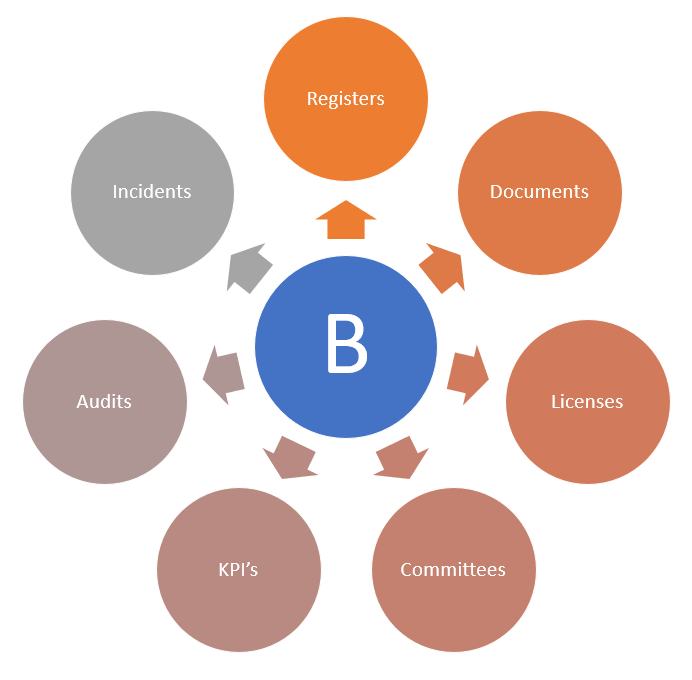
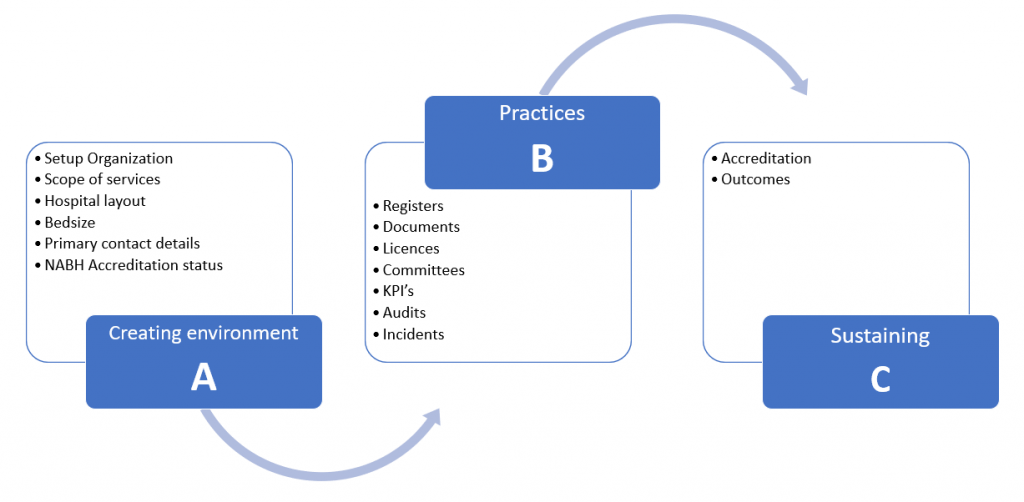
In order to comprehensively use the QMS365 application, the following 3 steps need to be followed.
- Creating the environment
This step includes setting up of hospital demographic, infrastructural requirements which will predefine the application as per the accreditation type.
- Setting up the practices
The step includes the setting up of NABH objective-based criteria to the required departments and users in the application as per hospital policies. eg. Creating and sharing of “Policy on Transfer-in of patient” SOP with emergency and admission departments (AAC 3a) or Creating and sharing the register such as “Initial wait time” with the required inpatient departments.
- Sustaing the practice
This step will help you learn how to identify the disengaged or failed objectives and how to fix it.
Creating environment
Setting up hospital profile
As an administrator you need to complete below steps to start with your accreditation process

Setup organisation
Filling the hospital details is the first step in “setup organisation” fill the required details and save it to move further

Scope of services
This step helps QMS365 application to pre-configure as per the NABH defined criteria. In this step select the clinical and non-clinical departments for which the hospital needs accreditation.
Select the type of “Category” i.e from mentioned four categories and “Add” the departments. 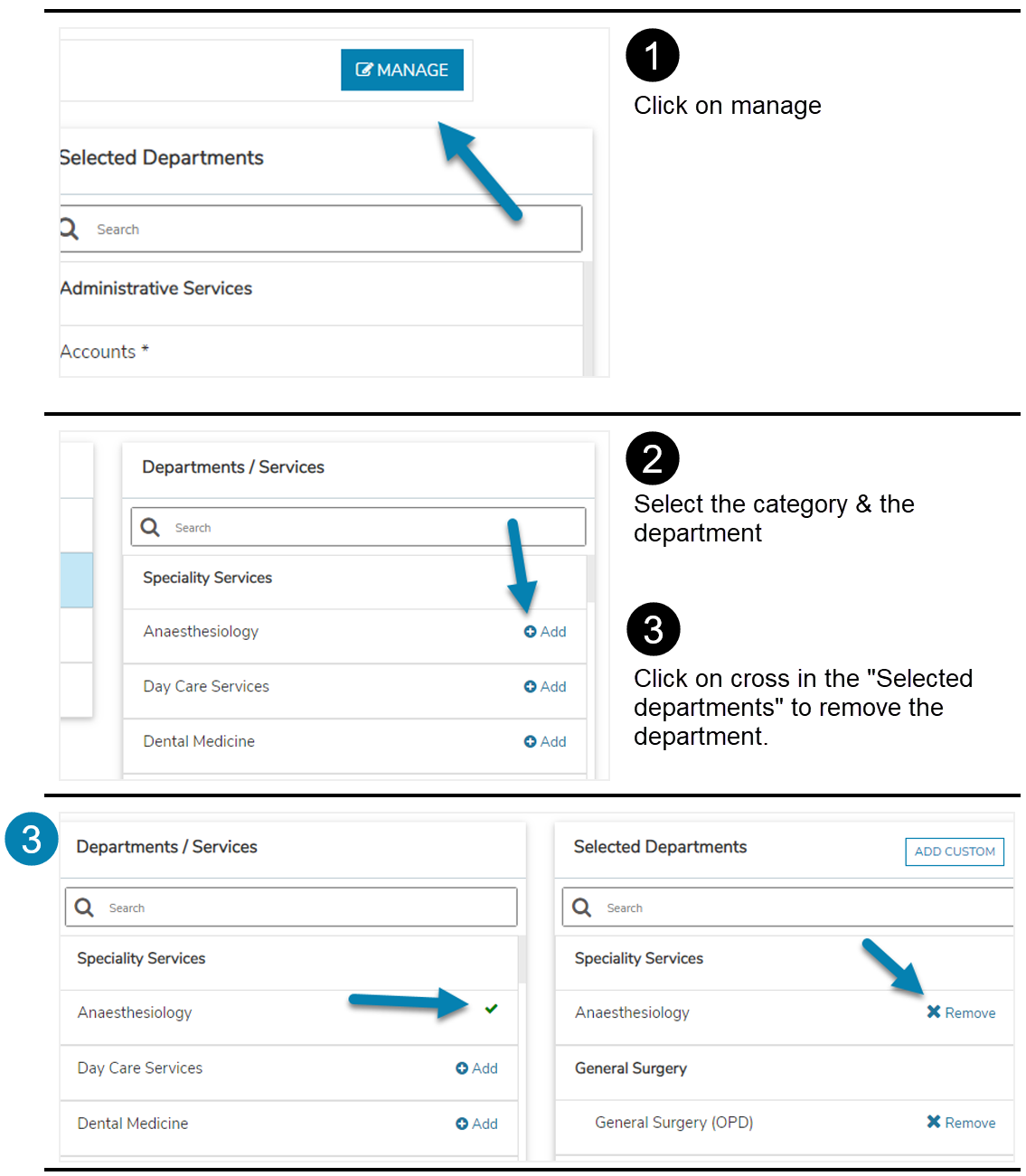
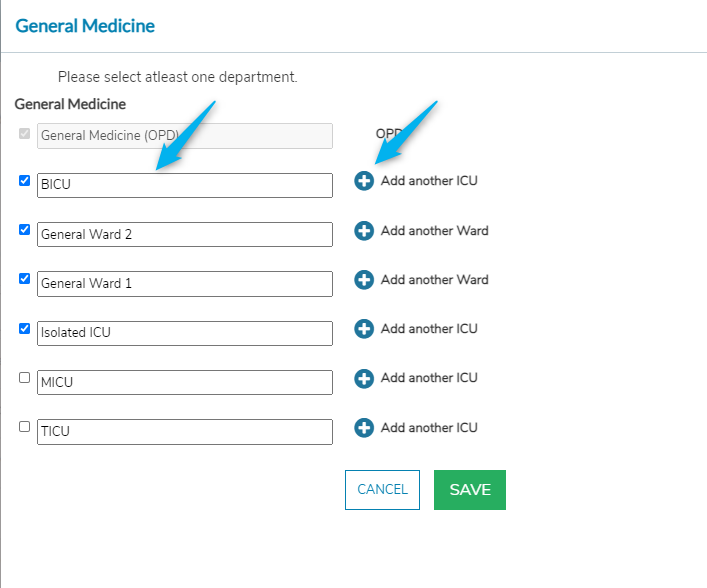
This process will help add sub-departments under one department eg. MICU, General medicine ward under “General medicine” department.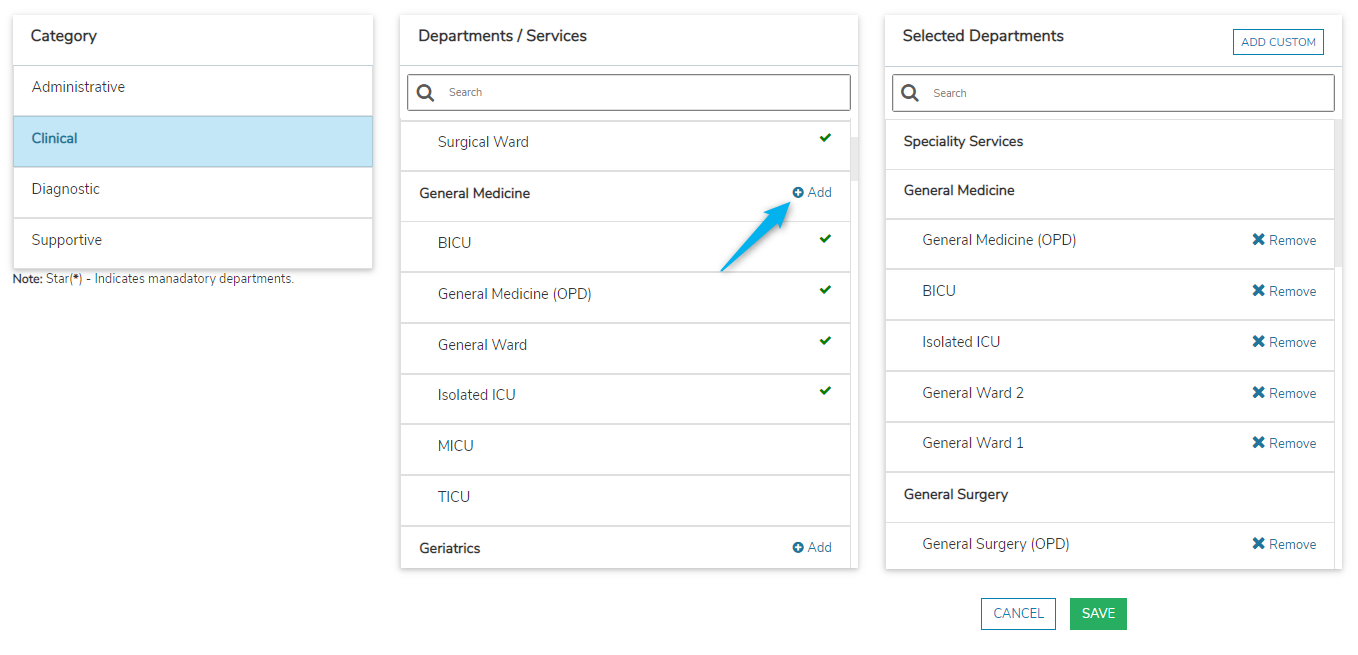


This process will help to add a Custom department that is not predefined in the existing checklist. 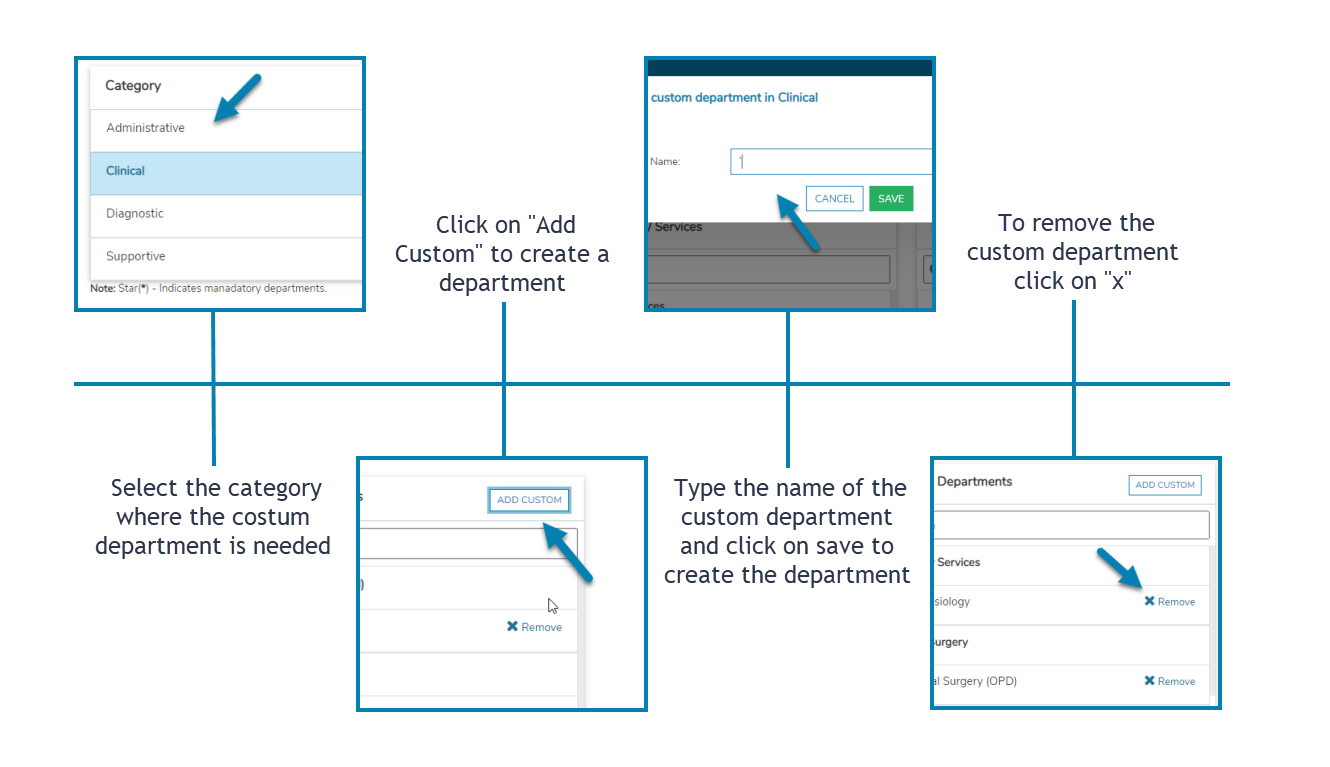
Hospital layout
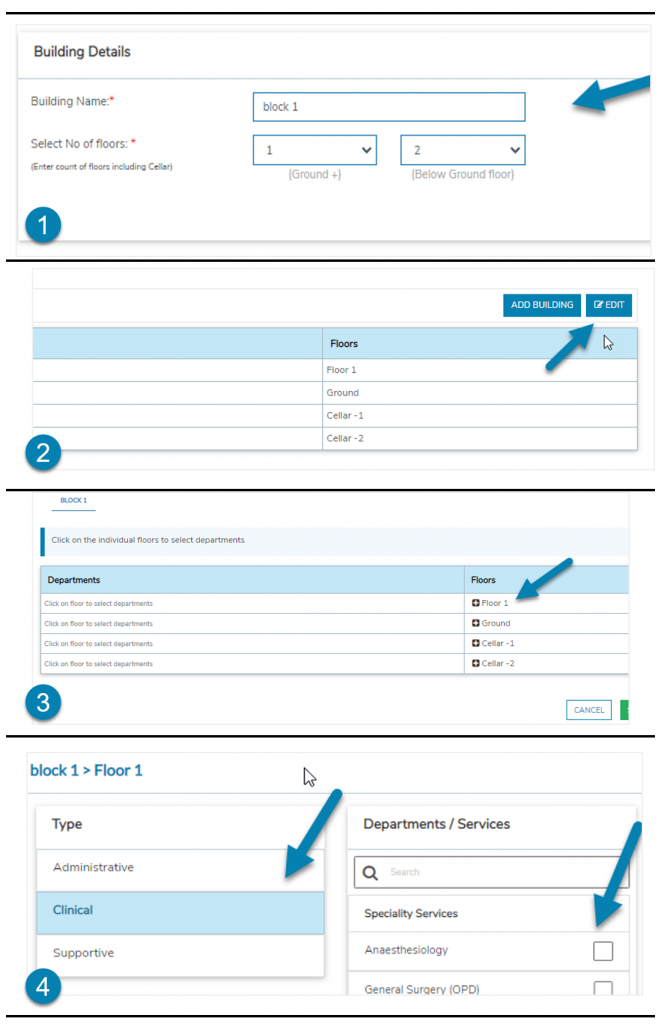
Bed size
This includes taking of total number of beds in the hospital which will be helpful in pre-defining the type of accreditation. this will include ICU beds, Non-ICU beds and OT beds and will not include emergency beds.

Primary contact details
This includes the contact information of the manager and quality manager or accreditation coordinator.
This information will be helpful for QMS365 as the first point of contact for general communication or if any.
Accreditation selection
This process will pre-define the objectives required for the accreditation which the hospital will be eligible for.
As per NABH hospitals are classified into small (<=19 beds) and large hospitals (>19 & <=50 Beds) and both the hospitals can be again classified as pre-accreditation and full- accreditation.
How to select the type of accreditation
- From Accreditation details “select” current status of accreditation and click on “Save”

- Select Type of Accreditation about to apply and click on “Save”

Practices