This includes registers that are related to the patient i.e Initial assessment time of the patient, Turnaround time for blood, transfusion reactions, Catheter-associated UTI, VAP, CLABSI, SSI, etc…
How to fill patient registers?
Left-click on the patient card in the registers module, select the type of register I.e Patient registers or KPI Registers and click on “+” to fill the register.
How to import registers in excel?
Click on the register which needs to be exported and click on “Excel export”

How to import register in PDF?
Click on the register which needs to be exported and click on “PDF export”

How to manage patient register ?
This includes edit and deleting the register.
How to edit the existing patient register?
Click on the record which needs to be edited and click on “edit” to make the changes.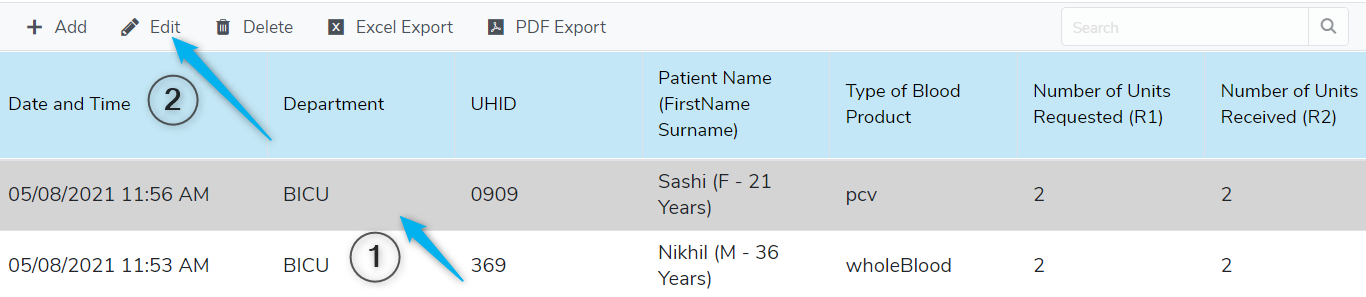
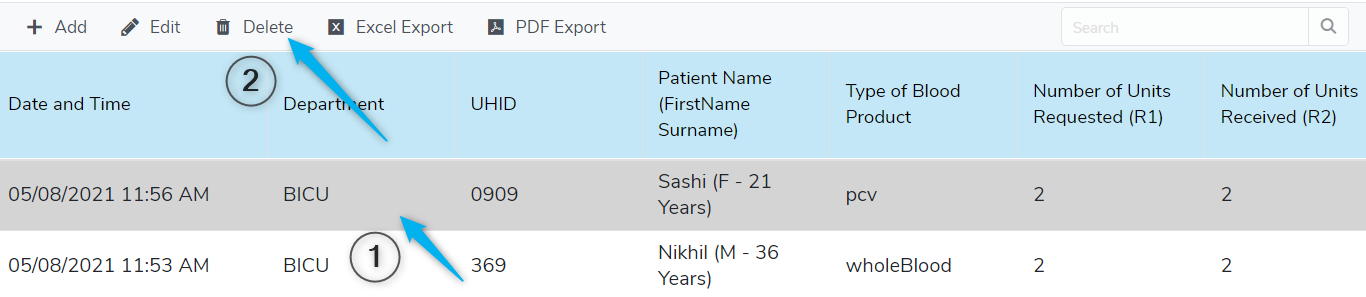
How to delete the patient register?
Click on the record and delete button to “delete” the record.