Creating flow chart
This process helps in creating a new flow chart
This article will be helpful for the management, quality manager and end-users who have access to master setup to create a flowchart
Time needed: 5 minutes
Steps to create flow chart
- Click on master setup
Master setup can be seen on the left side bar
- Click on “Organisation setup” in the scroll bar

- Click on “Organisation chart setup”
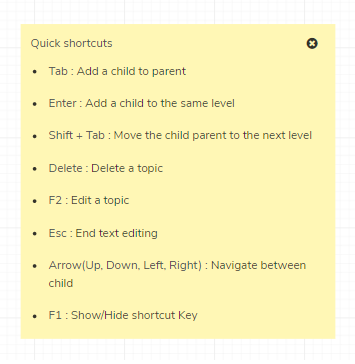
- Follow the yello card instructions to build a “Organisation chart”
Save flow chart
This process will help save a created flow chart
This article will be helpful for the management, quality manager and end-users who have access to master setup to create/save a flowchart
Time needed: 5 minutes
Steps to save flow chart
- Click on the save button on the top right
- Create the name of the flow chart
- Create the version of the flow chart
- Save it to the local ot Document folder